Install HP Support Assistant
-
-
Download the latest version of HP Support Assistant through their website https://support.hp.com/us-en/help/hp-support-assistant
-
Rename the file spxxxxxx.exe to spxxxxxx.zip.

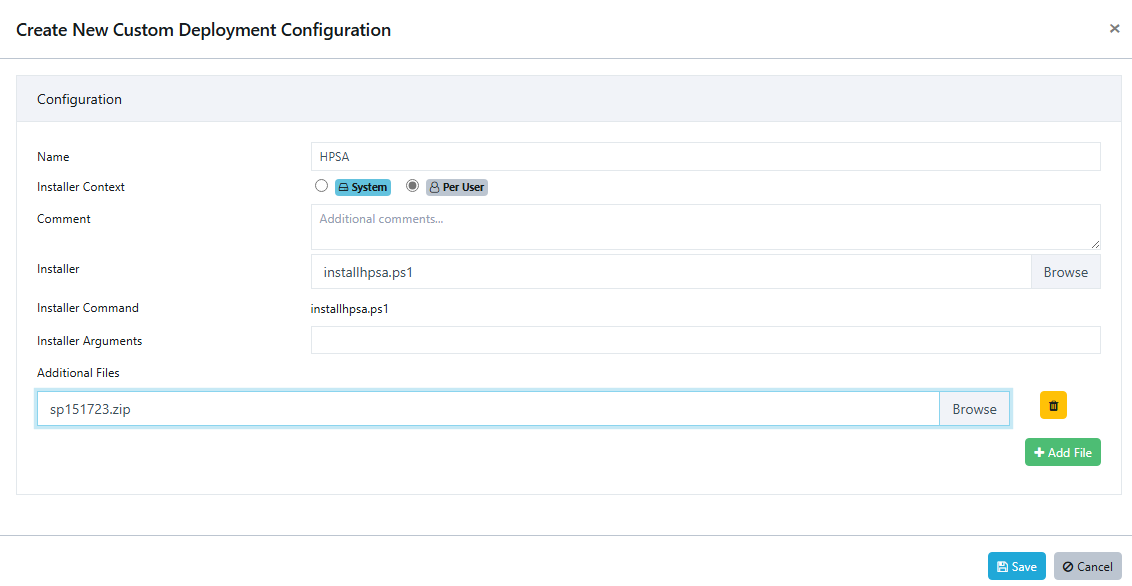
- Create a text document with the following content using your favourite text editor Start-Process -FilePath InstallHPSA.exe -Argumentlist "/S /v/qn", save it as installhpsa.ps1.


- Create a new Custom Software Deployment Configuration, set the installer as installhpsa.ps1 and add spxxxxxx.zip as an additional file. It is vital that you set the installer context as Per User as the installation won’t work properly in the SYSTEM context.
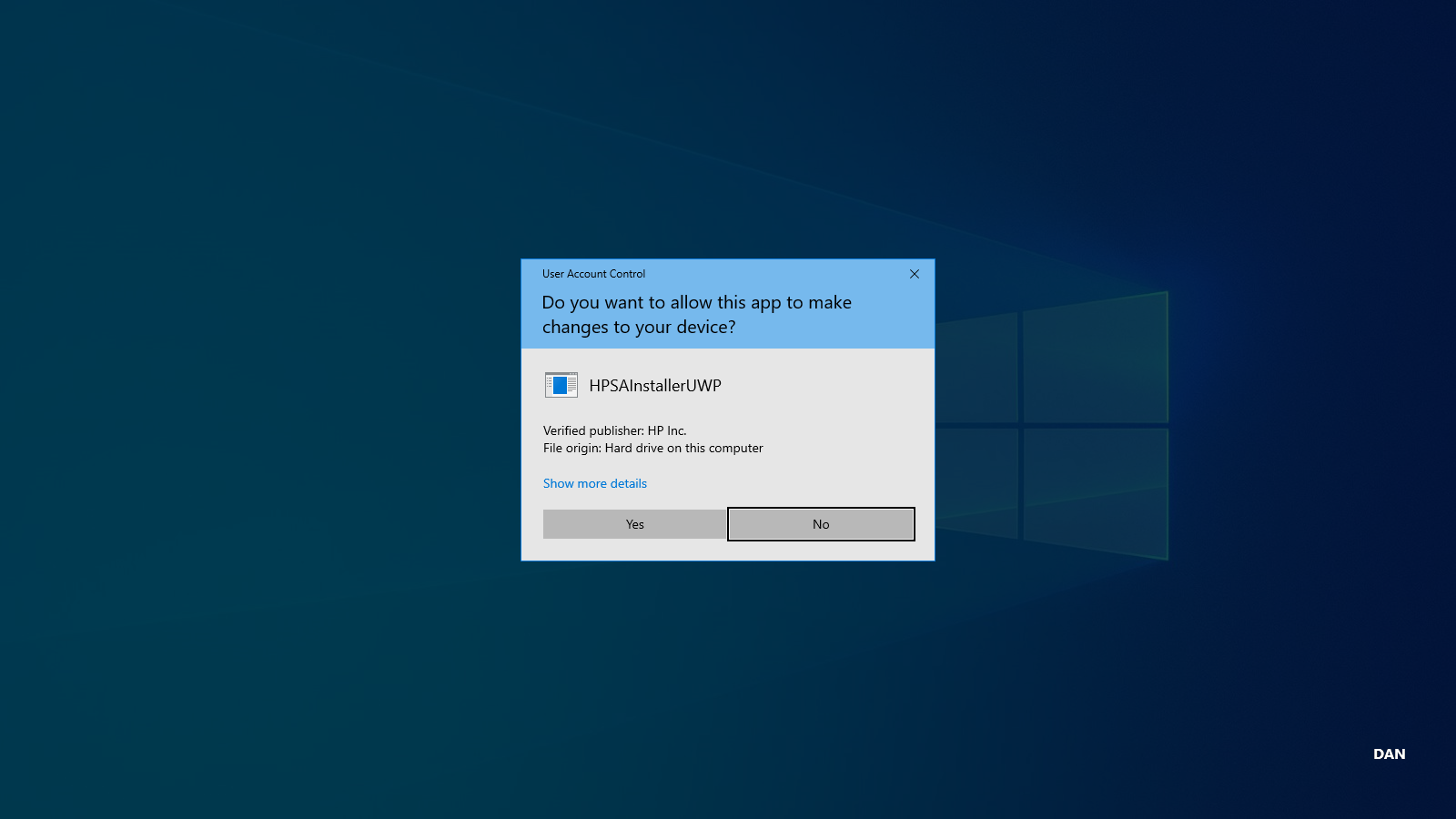
- Once the Custom Software is deployed and the installation is commenced the UAC prompt will appear and the user have to accept it. Users without local Admin privileges can't accept the prompt.
-
Hello! It looks like you're interested in this conversation, but you don't have an account yet.
Getting fed up of having to scroll through the same posts each visit? When you register for an account, you'll always come back to exactly where you were before, and choose to be notified of new replies (either via email, or push notification). You'll also be able to save bookmarks and upvote posts to show your appreciation to other community members.
With your input, this post could be even better 💗
Register Login