SecTeer VulnDetect & PatchPro Support Forum VulnDetect
    • Categories
    • Recent
    • Tags
    • Popular
    • Users
    • Search
    • Download VulnDetect Installer
    • Register
    • Login
    1. Home
    2. Recent
    Log in to post
    Load new posts
    • All Topics
    • New Topics
    • Watched Topics
    • Unreplied Topics

    • All categories

    • All tags
    • G

      Rclone: missing download link

      Watching Ignoring Scheduled Pinned Locked Moved Detection Issues
      3
      1
      0 Votes
      3 Posts
      257 Views
      G
      Hi, About the download missing link, I know that 'rclone selfudate' do the job. So the link is for coherency with other entries and for the ones updating systems without Vulndetect. Can we hope to have an "update" button doing the rclone selfudate? Added missing rclone image. [image: 1778502148318-rclone_icon.png] Regards.
    • G

      [Solved] MS Office 365 16.0.17628.20164 is "Unknown"

      Watching Ignoring Scheduled Pinned Locked Moved Solved Detection Issues
      12
      1
      0 Votes
      12 Posts
      5k Views
      OLLI_SO
      @GregAlexandre OK, then I mark this issue as solved.
    • T

      Updating Python - why we only patch the two most recent

      Watching Ignoring Scheduled Pinned Locked Moved Auto Update Requests
      1
      0 Votes
      1 Posts
      162 Views
      No one has replied
    • T

      Updates halted: AIMP

      Watching Ignoring Scheduled Pinned Locked Moved Auto Update Requests
      1
      0 Votes
      1 Posts
      161 Views
      No one has replied
    • G

      C:\Program Files (x86)\Microsoft\Copilot\Application\mscopilot.exe not bundled with copilot

      Watching Ignoring Scheduled Pinned Locked Moved Bundling Issues
      3
      0 Votes
      3 Posts
      338 Views
      G
      Hi, Or I missed it during the last check or the issue is back. Regards
    • G

      Chocolatey not removed when installing 3.0.x agent

      Watching Ignoring Scheduled Pinned Locked Moved Bugs and issues
      4
      0 Votes
      4 Posts
      2k Views
      G
      @olli_s : could be moved to fixed as 3.0.x agents do not install chocolatey any more.
    • G

      Rclone: Missing download link + icon

      Watching Ignoring Scheduled Pinned Locked Moved Bugs and issues
      2
      3
      0 Votes
      2 Posts
      115 Views
      G
      Hi Sorry for the duplicate entry: I missed the new check before publishing. Regards.
    • G

      "Copilot" path not embedded in Edge

      Watching Ignoring Scheduled Pinned Locked Moved Bundling Issues
      3
      0 Votes
      3 Posts
      406 Views
      G
      @rnz & @olli_s : fixed -> to move to fixed.
    • G

      Prim'X ZedFree: Missing download icon for download and recommended version not the latest 23.5 (23.5.1.0)

      Watching Ignoring Scheduled Pinned Locked Moved Detection Issues
      2
      0 Votes
      2 Posts
      707 Views
      G
      @olli_s : fixed a long time ago
    • rnzR

      Battle-net - Custom Software removal

      Watching Ignoring Scheduled Pinned Locked Moved [Corporate] Deployment -> Custom Software
      1
      3
      0 Votes
      1 Posts
      384 Views
      No one has replied
    • rnzR

      Adobe Creative Cloud suite - Install, Upgrade

      Watching Ignoring Scheduled Pinned Locked Moved [Corporate] Deployment -> Custom Software
      1
      3
      0 Votes
      1 Posts
      251 Views
      No one has replied
    • T

      Automate Tag Assignments based on Host Facts

      Watching Ignoring Scheduled Pinned Locked Moved [Corporate] Deployment -> Custom Software
      1
      2
      0 Votes
      1 Posts
      272 Views
      No one has replied
    • OLLI_SO

      PLITCH - App-Request

      Watching Ignoring Scheduled Pinned Locked Moved App Requests app-reques
      2
      1
      0 Votes
      2 Posts
      1k Views
      OLLI_SO
      Meantime Versions 2.18.4 and 2.18.5 were released. Here the version info of 2.18.5: File name and path: C:\Users\olive\AppData\Local\Programs\PLITCH\PLITCH.exe Product Name: PLITCH Internal Name: PLITCH.dll Original Filename: PLITCH.dll File Description: PLITCH Company: PLITCH Legal Copyright: Legal Trademarks: Comments: File Version String: 2.18.5.0 File Version: 2.18.5.0 Product Version String: 2.18.5+d5d023cac37e6398062fb9016f8cfbebd4401c07 Product Version: 2.18.5.0
    • T

      Notepad++ supply-chain incident - SecTeer impact assessment

      Watching Ignoring Scheduled Pinned Locked Moved General Discussion
      1
      0 Votes
      1 Posts
      1k Views
      No one has replied
    • A

      TeamViewer: Update/Install and Assign

      Watching Ignoring Scheduled Pinned Locked Moved [Corporate] Deployment -> Custom Software
      1
      2
      0 Votes
      1 Posts
      754 Views
      No one has replied
    • R

      Firefox Advanced Customization in VulnDetect (No Desktop Shortcut)

      Watching Ignoring Scheduled Pinned Locked Moved [Corporate] Deployment -> Custom Software
      1
      1
      0 Votes
      1 Posts
      397 Views
      No one has replied
    • G

      Videolan VLC 3.0.23

      Watching Ignoring Scheduled Pinned Locked Moved Detection Issues
      2
      0 Votes
      2 Posts
      2k Views
      G
      @OLLI_S -> solved 3.0.23 is now the official version
    • OLLI_SO

      NVIDIA app - OLD Version Recommended

      Watching Ignoring Scheduled Pinned Locked Moved Detection Issues app-detection version-number
      2
      0 Votes
      2 Posts
      2k Views
      OLLI_SO
      For the NVIDIA app there is still an older version recommended: The detected/installed version is: 11.0.5.420 The recommended version is: 10.0.3 (11.0.3.241) @Tom: When will this be fixed?
    • OLLI_SO

      [Solved] CPU-Z - Recommended Version (2.16.8) Not Available

      Watching Ignoring Scheduled Pinned Locked Moved Solved Detection Issues app-detection recommended
      2
      0 Votes
      2 Posts
      1k Views
      OLLI_SO
      For CPU-Z now the version 2.17 is detected and this version is also recommended. @Tom: Thank you for fixing this!
    • OLLI_SO

      Microsoft 365 Apps (Current Channel) - New Icons

      Watching Ignoring Scheduled Pinned Locked Moved Detection Issues app-detection icon
      2
      7
      0 Votes
      2 Posts
      1k Views
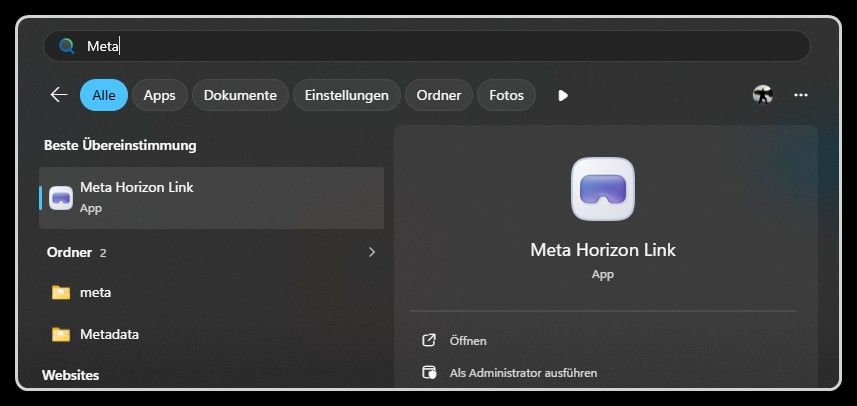
      OLLI_SO
      Currently, there are still the old icons shown. In the Windows 11 start menu I have the new icons (here just two examples): [image: 1767439128393-7da9b2c0-e4c2-42f9-93ac-f448ecee9966-image.png] [image: 1767439159617-55e27ed8-0644-4fa6-a926-9ec15299b123-image.png] @Tom: When will this be fixed?