SeaMonkey - Install, Upgrade
-
SeaMonkey can be upgraded using the Custom Software feature in VulnDetect - Corporate:
Note: Upgrading will require the same language installer to be applied to the existing installation in order for the process to be silent.
You can download official installers from here:
https://www.seamonkey-project.org/releases/
Make sure to select the right architecture: Windows x64/Windows x86Upload the installer and insert the following silent arguments: /VERYSILENT /NORESTART /S /quiet
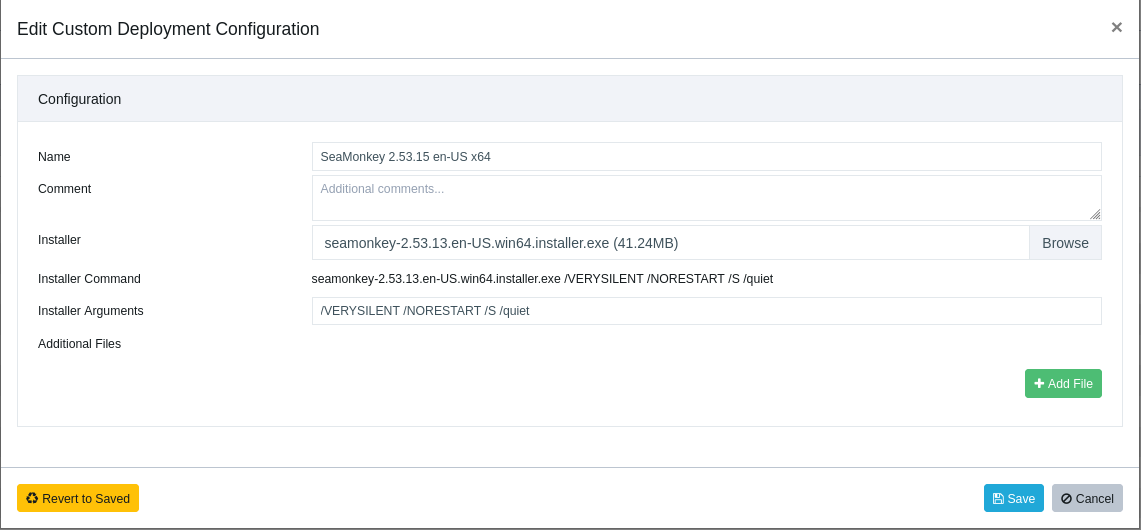
After uploading the file, you need to select the groups or hosts to which you wish to deploy the package / updates.

Hello! It looks like you're interested in this conversation, but you don't have an account yet.
Getting fed up of having to scroll through the same posts each visit? When you register for an account, you'll always come back to exactly where you were before, and choose to be notified of new replies (either via email, or push notification). You'll also be able to save bookmarks and upvote posts to show your appreciation to other community members.
With your input, this post could be even better 💗
Register Login