Patching Autodesk Revit using Custom Tag Approvals

-
Autodesk Revit updates can be handled through Custom Tag Approvals, where customers upload the required Revit update files themselves.
We have used the following custom configuration:
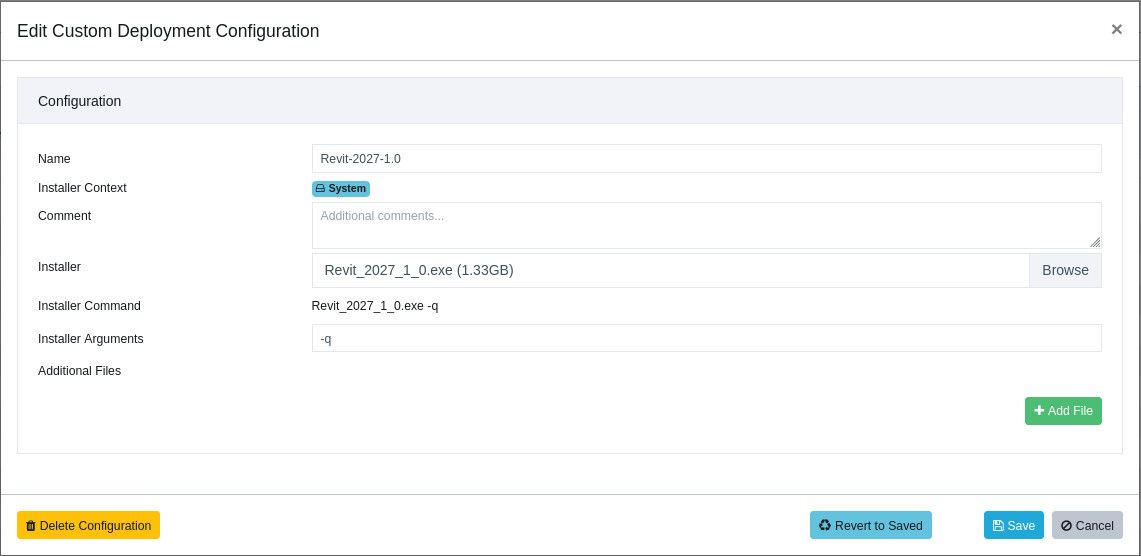
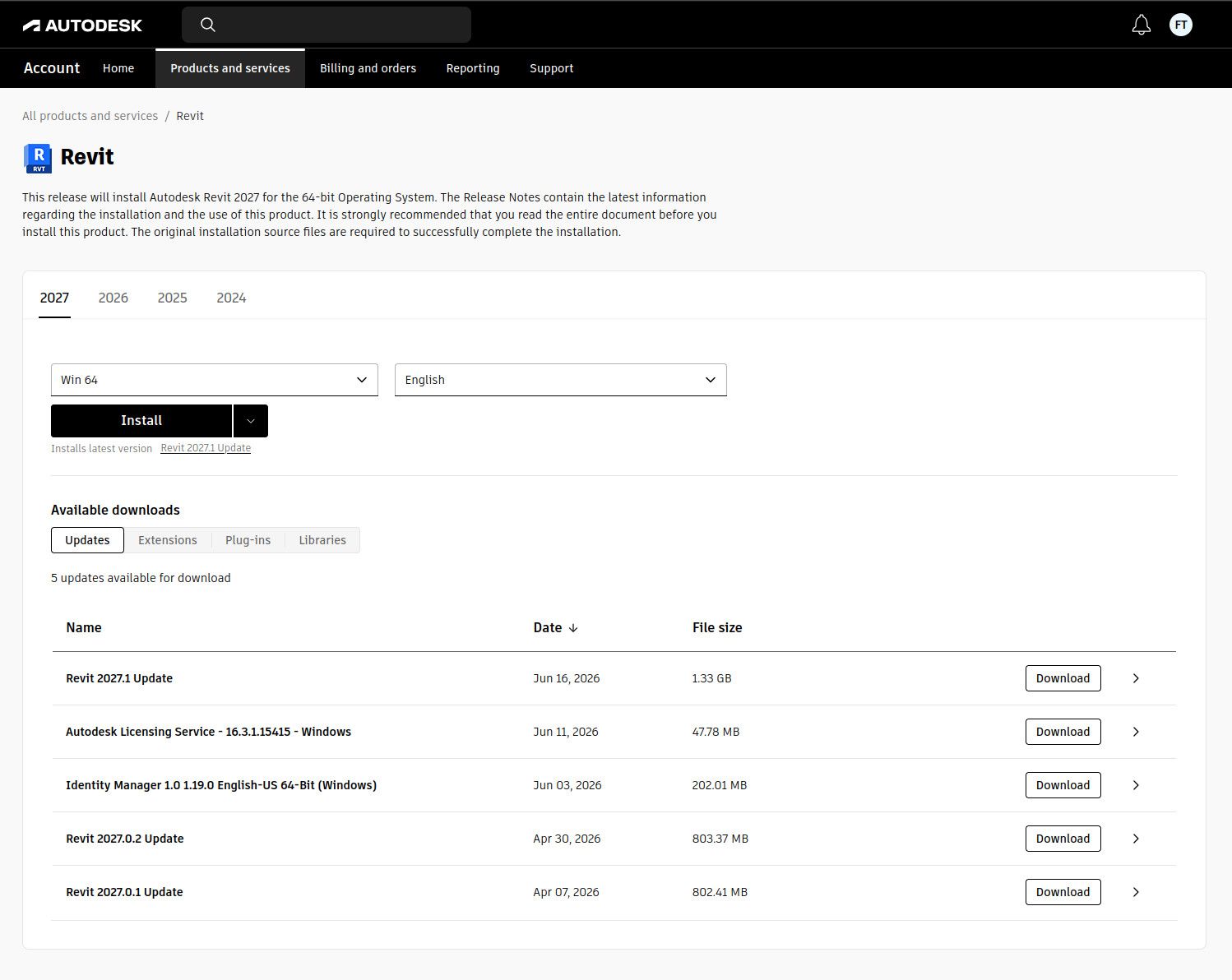
- Download the required Revit update file from your Autodesk account.
- Upload the update file to the relevant Custom Tag Approval in VulnDetect by enabling customization

- Assign the custom tag to the hosts where Autodesk Revit should be updated.
- VulnDetect will deploy the uploaded update file to the tagged hosts on the next inspection.
Please make sure the uploaded update file matches the Revit version installed on the target hosts, as Autodesk updates are usually specific to a product and version branch.
This approach can be used to keep Revit updated through VulnDetect by maintaining the update files directly on the Custom Tag Approval.
- Download the required Revit update file from your Autodesk account.

Hello! It looks like you're interested in this conversation, but you don't have an account yet.
Getting fed up of having to scroll through the same posts each visit? When you register for an account, you'll always come back to exactly where you were before, and choose to be notified of new replies (either via email, or push notification). You'll also be able to save bookmarks and upvote posts to show your appreciation to other community members.
With your input, this post could be even better 💗
Register Login