[Added] Discord - App-Request

-
File name and path:     C:\Users\ad\AppData\Local\Discord\app-0.0.301\Discord.exe
Product Name:           Discord
Internal Name:          Discord.exe
Original Filename:      Discord.exe

File Description:       Discord
Company:                Discord Inc.
Legal Copyright:        Copyright (c) 2017 Discord Inc. All rights reserved.
Legal Trademarks:
Comments:

File Version String:    0.0.301
File Version:           0.0.45.0
Product Version String: 0.0.301
Product Version:        0.0.45.0
File name and path: C:\Users\ad\AppData\Local\Discord\Update.exe Product Name: Update Internal Name: Update.exe Original Filename: Update.exe File Description: Update Company: GitHub Legal Copyright: Copyright © GitHub 2013-2015 Legal Trademarks: Comments: Update File Version String: 1.1.1.0 File Version: 1.1.1.0 Product Version String: 1.1.1.0 Product Version: 1.1.1.0Download:
https://discordapp.com/downloadGui Version: NA
Showing version using this: https://www.reddit.com/r/discordapp/comments/84njqu/discord_current_version/
[BUILD INFO] Release Channel: stable, Build Number: 29800, Version Hash: 49ebc1991deb74e88bb74e4ff75fce76cb32a4afIcon:
-
Another interesting case.
We have to rely on the executable and display that version. The executable loads a UI / JavaScript from their web service. This is what you can see when you do the CTRL+SHIFT+I.
Generic detection has been added for the binary. Specific Rules will be added later.
-
I received an update of Discord but the version number of the EXE is still the same.
So they really made it hard to get the version info. -
@OLLI_S True, see my previous comment. Nothing we can do about that.
-
Discord is currently detected by VulnDetect, the detected version number is 0.0.306.0.
Inside the App I see the following data: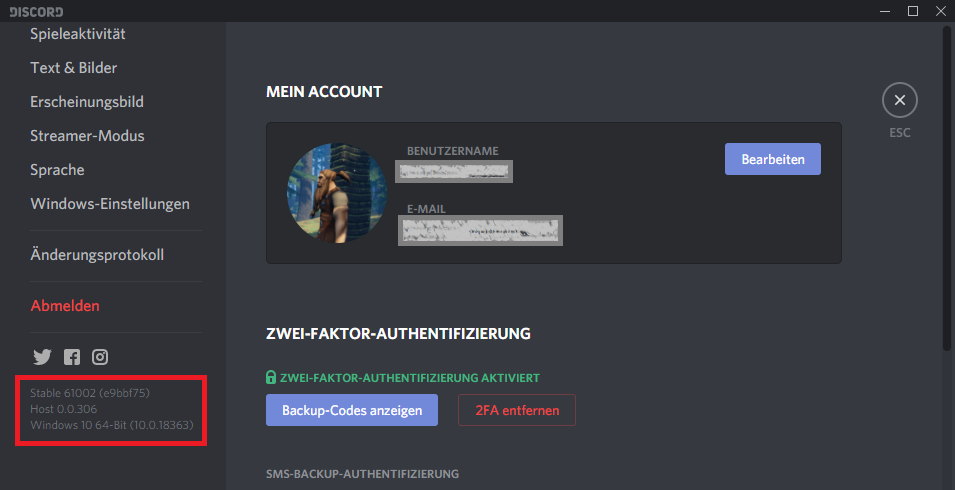
Here the data as text:
Stable 61002 (e9bbf75)
Host 0.0.306So VulnDetect displays the Host version number.
I don't know where to get the other version from.@Tom How should we proceed?
-
I looked up the version number today and saw that the Stable Version changed and the Host version is constant
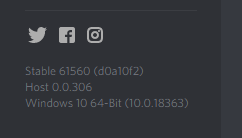
Here the version info from the current EXE:
File name and path: C:\Users\olive\AppData\Local\Discord\app-0.0.306\Discord.exe Product Name: Discord Internal Name: Discord.exe Original Filename: Discord.exe File Description: Discord Company: Discord Inc. Legal Copyright: Copyright (c) 2018 Discord Inc. All rights reserved. Legal Trademarks: Comments: File Version String: 0.0.306 File Version: 0.0.306.0 Product Version String: 0.0.306 Product Version: 0.0.306.0 -
I think there is one version of the exe and then there is another version of the UI, which is loaded dynamically from the Discord backend.
I don't think it is feasible to track the version of the UI, since it appears to be a web app.
-
OK, then I mark this issue as added.

Hello! It looks like you're interested in this conversation, but you don't have an account yet.
Getting fed up of having to scroll through the same posts each visit? When you register for an account, you'll always come back to exactly where you were before, and choose to be notified of new replies (either via email, or push notification). You'll also be able to save bookmarks and upvote posts to show your appreciation to other community members.
With your input, this post could be even better 💗
Register Login