Subcategories

  • Recuva Portable - Recommended Version not Available

    4
    0 Votes
    4 Posts
    2k Views
    OLLI_SO
    @Tom I deleted the version from PortableApps.com and went back to the official version from Piriform. So back to the original issue: The current version of Recuva is 1.53.0.2096 The current version of Recuva Portable is 1.53.0.1087 When I start Recuva Portable, then I get this message shown: [image: 1697977957117-50afb46d-f6a9-4591-a6da-ba7baaa411a8-image.png] When I click on "Yes" then the following page opens, where I only can download the Installer of Recuva: https://www.ccleaner.com/recuva/update?v=1.53.1087&l=1033&a=0 @Tom So, what do you recommend here?
  • Cygwin Filezilla detected as Widnows Filezilla

    3
    1
    0 Votes
    3 Posts
    2k Views
    G
    @Tom : I do not see what could mean "a standard sub application" of Cygwin. Cygwin allows Linuxes / Unixes apps to run on Windows when recompiled using the cygwin emulation DLLs. So, you can have, multiple apps maintained or not available thru the Cygwin installer that manage dependencies. I most of the times use it for openssl client. So I removed Filezilla as I did not need it. I suppose it was installed due to a bug. I know that I do not answer to your question but I am unable to give you a yes/no answer. Hope this helps. Regards. PS: what you get when you search for openssl in the installer... [image: 1708780233740-f74659b7-8e93-4e16-b8c6-6632d30d9e84-image.png]
  • Norton Security - No longer detected (Bug)

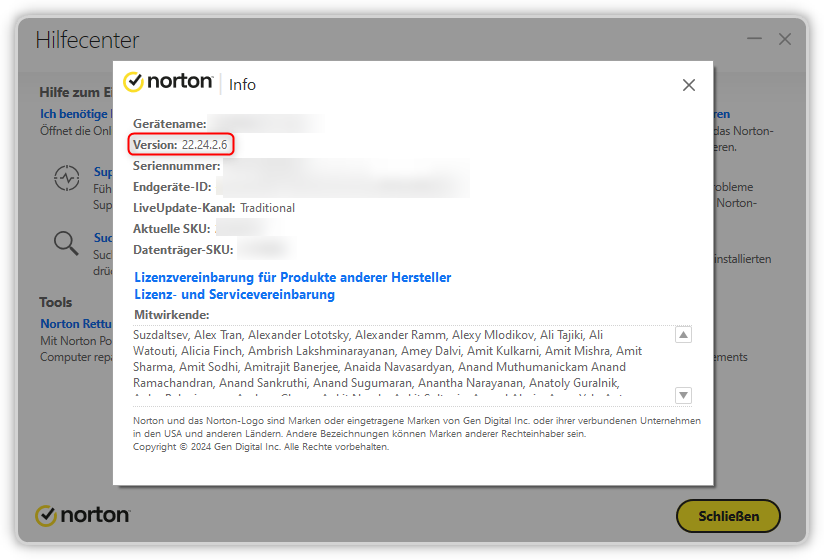
    app-detection bug
    1
    1
    0 Votes
    1 Posts
    1k Views
    No one has replied
  • Microsoft PC Manager (Windows Installer) is EOL

    3
    0 Votes
    3 Posts
    2k Views
    OLLI_SO
    @Tom In my Windows Sandbox, where the System Language is English, I get a download button: [image: 1716034516320-f3345627-1bcf-4dc2-9f09-46b115df7796-image.png] This button opens the Microsoft Store, so there is no more Installer (setup.exe) available. And you have the official comment from the official Discord Server of the Microsoft PC Manager
  • Vortex - Detected Version Incorrect

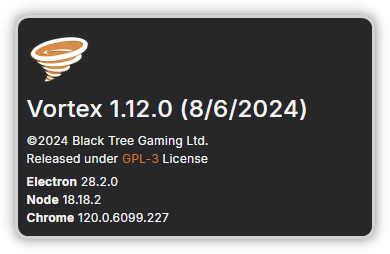
    app-detection version-number
    1
    1
    0 Votes
    1 Posts
    960 Views
    No one has replied
  • WingetUI - No longer detected (Bug) + Rename to "UniGetUI"

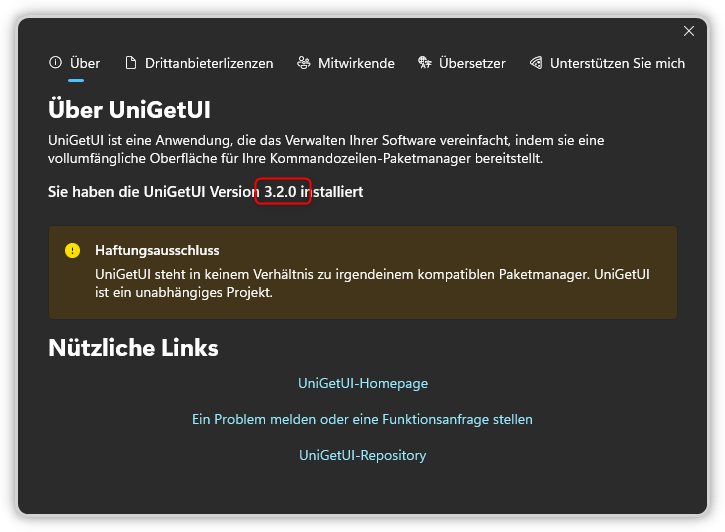
    app-detection bug
    1
    0 Votes
    1 Posts
    1k Views
    No one has replied
  • Geforce Experience (32bit) - is EOL (and insecure)

    Moved
    7
    0 Votes
    7 Posts
    5k Views
    G
    Nvidia Geforce Experience is now EOL: https://www.nvidia.com/en-us/geforce/news/nvidia-app-beta-update-g-sync-controls-rtx-hdr-multi-monitor/ (last paragraph). I suggest to move this subject to solved.
  • Speccy - Invalid Recommended Version?

    2
    0 Votes
    2 Posts
    2k Views
    A
    Hi, OLLI! Thank you for reporting this. It has been fixed.
  • CrystaldiskInfo 9.4.4 detected as 9.1.1

    3
    0 Votes
    3 Posts
    3k Views
    G
    @OLLI_S : fixed
  • 0 Votes
    1 Posts
    1k Views
    No one has replied
  • Microsoft 365 - Apps Missing

    1
    0 Votes
    1 Posts
    1k Views
    No one has replied
  • Meta Quest Link - Wrong Icon

    app-detection icon
    1
    1
    0 Votes
    1 Posts
    1k Views
    No one has replied
  • Malwarebytes AdwCleaner - OLD Version Recommended

    app-detection version-number
    1
    0 Votes
    1 Posts
    1k Views
    No one has replied
  • One Commander - OLD Version Recommended

    app-detection version-number
    1
    0 Votes
    1 Posts
    1k Views
    No one has replied
  • UniGetUI - OLD Version Recommended

    app-detection version-number
    1
    0 Votes
    1 Posts
    1k Views
    No one has replied
  • MiTeC SQLite Query - OLD Version Recommended

    app-detection version-number
    1
    0 Votes
    1 Posts
    1k Views
    No one has replied
  • MiTeC Mail Viewer - OLD Version Recommended

    app-detection version-number
    1
    0 Votes
    1 Posts
    1k Views
    No one has replied
  • MiTeC Icon Explorer - OLD Version Recommended

    app-detection version-number
    1
    0 Votes
    1 Posts
    2k Views
    No one has replied
  • Avast: Lack of reliable information about vulnerability fixes

    1
    0 Votes
    1 Posts
    1k Views
    No one has replied
  • PureSync - Detected Version Incorrect

    6
    1
    0 Votes
    6 Posts
    4k Views
    OLLI_SO
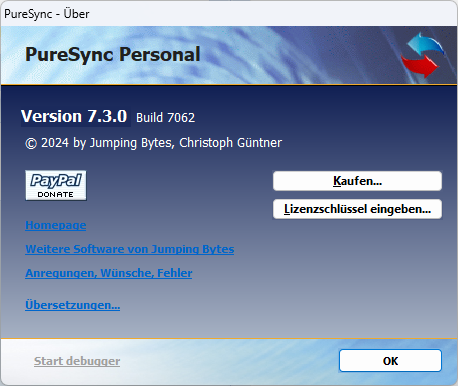
    Today PureSync Version 8.0.3 Build 7537 was released: [image: 1758979073025-9a8f266c-7993-4133-88cd-1b416242a199-image.png] Here the information extracted from PureSync.exe: File name and path: C:\Program Files (x86)\Jumping Bytes\PureSync\PureSync.exe Product Name: PureSync Internal Name: PureSync Original Filename: PureSync.exe File Description: PureSync, a file and folder synchronization and backup tool, by Jumping Bytes Company: Jumping Bytes Legal Copyright: Jumping Bytes, Christoph Guentner, (c) 2025 Legal Trademarks: Comments: File Version String: 8.00.7537 File Version: 8.0.0.7537 Product Version String: 8.00.7537 Product Version: 8.0.0.7537 Here the information extracted from PureSync.dll: File name and path: C:\Program Files (x86)\Jumping Bytes\PureSync\PureSync.dll Product Name: PureSync Internal Name: PureSync Original Filename: PureSync.dll File Description: PureSync Company: Jumping Bytes Legal Copyright: Jumping Bytes, Christoph Guentner, (c) 2025 Legal Trademarks: Comments: File Version String: 8.00.7546 File Version: 8.0.0.7546 Product Version String: 8.00.7546 Product Version: 8.0.0.7546 In the file PureSync.exe you have at least the Build Number 7537. But in both files the correct version number is not shown.