[Added] Uplay - App-Request

-
Name of the app:
- Uplay
File Path:
- C:\Program Files (x86)\Ubisoft\Ubisoft Game Launcher\Uplay.exe
Developer:
- Ubisoft Entertainment
Website:
Download Site:
App-Icon: in ICO format
Notes:
- Uplay is a game client like Steam
- Uplay is updated very often
-
Added, but I need you to confirm the version reported in the UI of the product vs. our rule (I think it is wrong)
-
Yes, the version is wrong, but I think there is no way to read it out.
In the EXE file (C:\Program Files (x86)\Ubisoft\Ubisoft Game Launcher\Uplay.exe) I see the following version:File version: 1.0 Product version: 1.0.1 Assembly version:
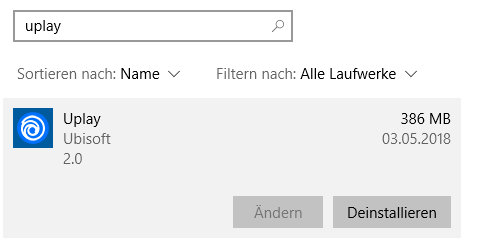
In the Windows 10 Settings the version 2.0 is shown:
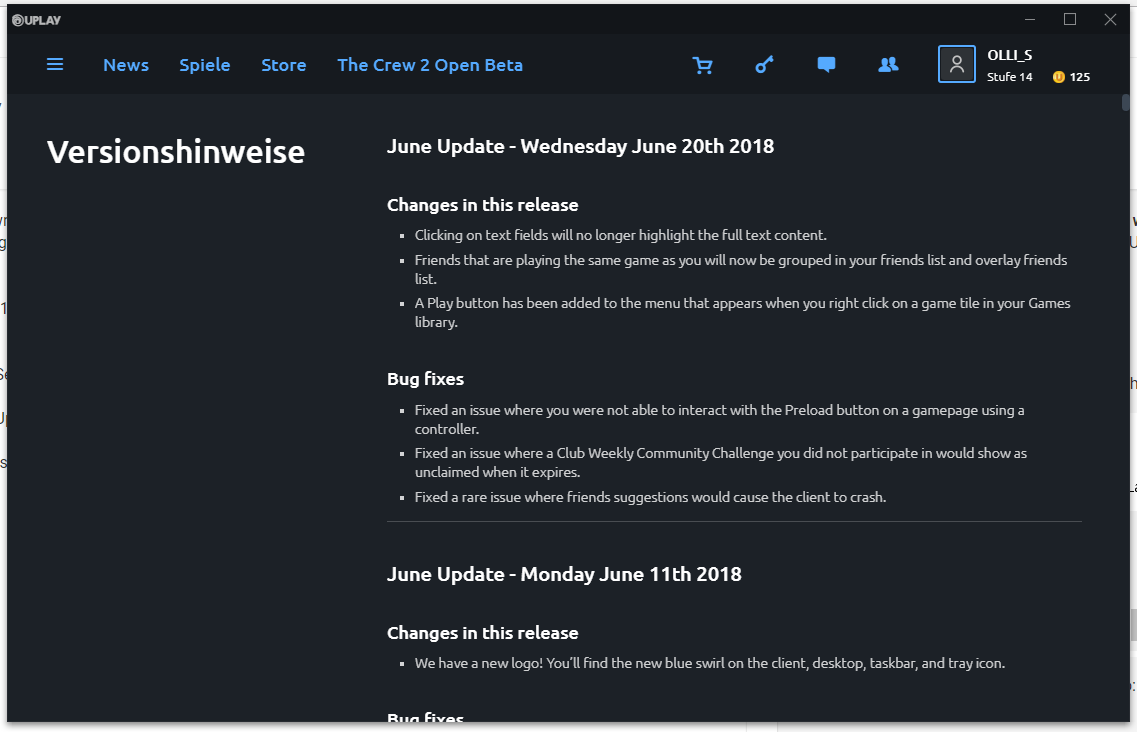
In the Uplay app I see the following version info:
In an other update manager I see the version 62.0.0.5696.
I don't know where this information comes from, so I searched in the SUMo Bug Tracker and found:
http://www.kcsoftwares.com/bugs/view.php?id=4152Here it says:
You check Uplay.exe instead of UbisoftGameLauncher.exe for the version
When I get the version numbers from UbisoftGameLauncher.exe then I get:
File version:
Product version:   62.0.5696
Assembly version:
If I search in the internet for "Uplay Download" I find many sites that report a version number beginning with 62.
So the version displayed in the other download mager might be right.
So what about the following solution:
Use the version number stored in UbisoftGameLauncher.exe because this fits to the info that I found in the internet.
When an update is released, then I chekc if the version in the Uplay.exe and in Windows 10 are changing.
But the other download manager was mostly right. -
@olli_s The rule has been updated. What does the result look like now?
-
@tom said in Uplay - App-Request:
updated. What does the result look like n
Perfect, Uplay shows now the version 62.0.5696 and an other update manager shows the same version.
So the issue is solved.y

Hello! It looks like you're interested in this conversation, but you don't have an account yet.
Getting fed up of having to scroll through the same posts each visit? When you register for an account, you'll always come back to exactly where you were before, and choose to be notified of new replies (either via email, or push notification). You'll also be able to save bookmarks and upvote posts to show your appreciation to other community members.
With your input, this post could be even better 💗
Register Login