[Added] TickTick - App-Request
-
Name of the app:
TickTickDeveloper:
Appest.comWebsite:
https://www.ticktick.com/Download Site:
https://www.ticktick.com/about/downloadVersion number displayed in the app:
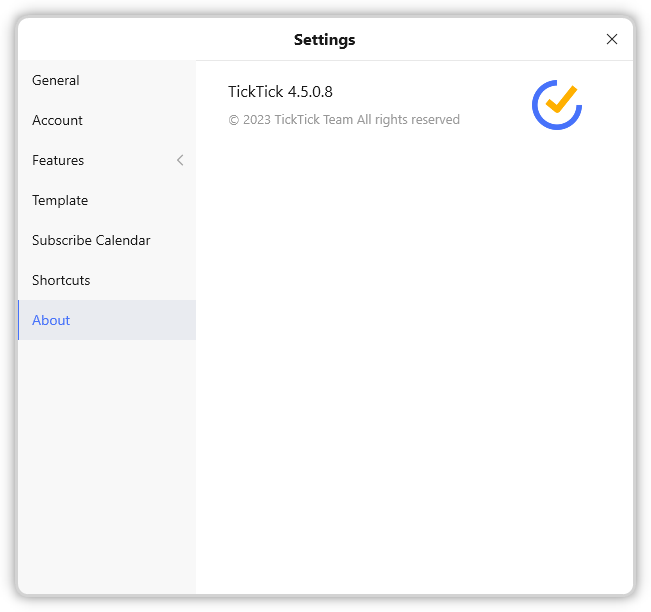
App-Icon

Notes:
-
At the bottom of the website you see the company TickTick Team, but if you open Appest.com (the name in the EXE file) you see a page with very little content, but in the layout of the TickTick website.
So I would suggest to use Appest.com, but I am going to ask the developers of TickTick -
The version number in the EXE file is 1.0.0.0, but in Settings -> About the version number is 4.5.0.8.
I already contacted them and suggested to write the correct version number in the EXE file.
Here the information extracted from the EXE file:
File name and path: C:\Program Files (x86)\TickTick\TickTick.exe Product Name: ticktick_WPF Internal Name: TickTick.exe Original Filename: TickTick.exe File Description: TickTick Company: Appest.com Legal Copyright: Copyright © 2023 Appest.com Legal Trademarks: Comments: File Version String: 1.0.0.0 File Version: 1.0.0.0 Product Version String: 1.0.0.0 Product Version: 1.0.0.0 -
-
@Tom The filename of the installer is: tick_win_setup_release_x64_4508.exe
So the proper version is 4.5.0.8 -
TickTick is now detected by VulnDetect and the version number 4.5.7.5 is also correct.
@Tom: Thank you for adding this app! -
 O OLLI_S moved this topic from App Requests on
Hello! It looks like you're interested in this conversation, but you don't have an account yet.
Getting fed up of having to scroll through the same posts each visit? When you register for an account, you'll always come back to exactly where you were before, and choose to be notified of new replies (either via email, or push notification). You'll also be able to save bookmarks and upvote posts to show your appreciation to other community members.
With your input, this post could be even better 💗
Register Login